Our default stack for a multi-tenant SaaS on Laravel (and why)
The stack we reach for when a new B2B SaaS lands on our desk: Laravel and Filament, a database per customer, teams, plans, billing and hosting, and the reasoning behind each choice.
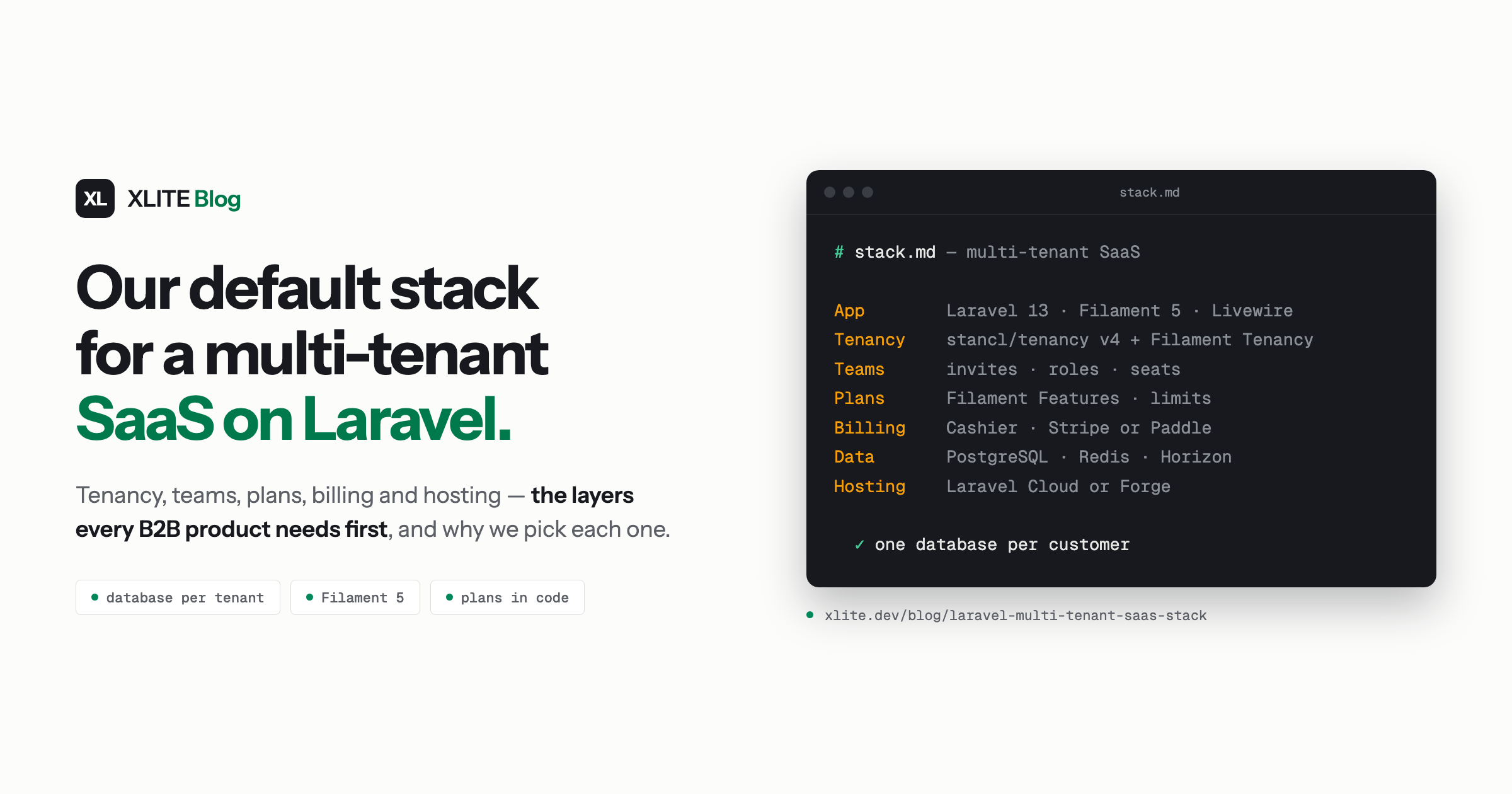
Every new SaaS project starts with the same set of questions. Where does each customer's data live? How do people invite their colleagues? What does the Pro plan unlock, and who sends the invoice? Where does it all run?
Your customers won't pay you for any of these. They still fill the first weeks of most B2B products, and the answers shape everything built on top. If you're planning a B2B SaaS on Laravel, here are the answers we've settled on, layer by layer: what we pick, why, and when we pick something else.
The stack at a glance
| Layer | Our default | Why |
|---|---|---|
| App and admin panel | Laravel 13, Filament 5, Livewire, Tailwind CSS | One codebase, one language, and a polished UI from the first day |
| Tenancy | A database per tenant: stancl/tenancy v4 + Filament Tenancy | Isolation you can point to in a security review, and room to grow across servers |
| Teams | Filament Teams | Invitations, roles and seat limits per workspace |
| Plans and limits | Filament Features | Plans defined in code, limits checked against real usage |
| Billing | Laravel Cashier, Stripe or Paddle | The subscription decides the plan, nothing else does |
| Data and queues | PostgreSQL, Redis, Horizon | Supported on every host we use, with pgvector ready for AI features |
| Hosting | Laravel Cloud, or Forge on servers you choose | Managed by default, full control when a customer needs it |
| Tests | Pest | Every tenant boundary gets a test |
Laravel and Filament: one codebase for the whole product
For a B2B SaaS, most screens are lists, forms, filters, dashboards and settings pages. Filament, the Laravel toolkit for admin panels, is great at all of them. For each kind of record, Filament gives you a searchable table, a validated form, filters and bulk actions in an afternoon, and it looks good without a designer touching it. Livewire keeps the interactivity on the server, so the whole team works in PHP and Blade and nobody has to keep a separate frontend in sync with the API.
That speed is why our SaaS MVP package fits in two weeks. When the product needs a public site or a highly custom interface later, Laravel happily serves an Inertia app (React or Vue pages inside Laravel) or a separate frontend next to the panel. We just don't start there.
Tenancy: a database for every customer
This is the decision that is hardest to change later, so we make it first.
A tenant is one customer's workspace, and tenancy is how the app keeps each one's data apart.
Filament's built-in tenancy is excellent. It gives you a tenant switcher, registration and profile pages, and automatic scoping of every resource to the current team, all in one shared database. For many products, that is the right choice and we use it gladly: B2C apps, products with thousands of small free workspaces, or anything that needs fast reporting across all customers at once.
For B2B products, our default is one database per tenant. The engine is stancl/tenancy, the standard for multi-database tenancy in Laravel, and v4 is its best release yet. The reasons show up in sales conversations more than in code:
- Security questionnaires. "Is our data stored separately from other customers?" gets a plain yes.
- Data residency. A customer who needs their data in a specific country gets a database on a server in that country.
- Backups and restores per customer. Restoring one customer's data to yesterday doesn't touch anyone else.
- Deleting a customer. When a contract ends, their data goes with one dropped database.
The two systems meet through Filament Tenancy, our own plugin. It connects Filament's panel tenancy to stancl's engine. Each customer reaches their workspace by subdomain, by path or on their own custom domain.
Setting up a new customer runs in the background. They see a waiting page ("Setting up Acme") while their database is created and migrated, then land in the panel. We wrote about how the two fit together in Filament v5 + stancl/tenancy: the best of both, together.
The app keeps one central database next to the tenant databases. Deciding what goes where is the part worth getting right on day one:
- Central: users, workspaces, memberships and invitations, domains, subscriptions, sessions.
- Tenant: everything the customer creates in your product.
Users live centrally because one person can belong to several workspaces. Billing lives centrally because it describes the workspace, not its contents. Everything else is the customer's, and it lives in their database.
We also plan for growth from the start. Filament Tenancy can spread tenant databases across several database servers, with each new tenant placed on the least-loaded one:
TenancyPlugin::make()
    ->databasePool(['tenant-db-1', 'tenant-db-2', 'tenant-db-3']);
Most products launch on a single server and stay there for a long time. Knowing that adding capacity later is one line of config takes the pressure off the first architecture discussion.
If you already run a single-database app and want to move to this model, that is its own project, and we offer it as one: a multi-tenancy migration that starts with a fixed-price plan.
Teams, roles and seats
B2B software is bought by one person and used by their colleagues. So every workspace needs invitations, roles and, usually, a seat limit tied to the plan.
Filament Teams covers this:
- a members page;
- email invitations and shareable invite links;
- roles that carry permissions;
- ownership rules (the last owner can't leave);
- seat limits that count pending invitations.
With Filament Shield and Spatie Permission's teams mode turned on, roles are per team, so someone can be an admin in one workspace and a viewer in another.
It works with Filament's own tenancy or with a database per tenant, so the teams layer doesn't change if the tenancy decision does.
Plans, limits and billing
We keep two questions apart: what the customer pays for, and what the customer is allowed to do.
What they're allowed to do is Filament Features. Features and plans are defined in code (projects: 3 on Free, projects: 50 and API access on Pro), and one call checks whether a feature is on and how much of a limit is left against real usage. Pages, actions, routes and Blade views can all be gated, with an upgrade card when something is locked.
Overrides handle the real-world cases: a two-week trial of Pro, beta access for one customer, a custom limit for a big account, each with an expiry and a reason.
What they pay for is Laravel Cashier, with Stripe or Paddle. Paddle acts as merchant of record, the legal seller to your customers, so it handles sales tax for you. Stripe gives you the most flexibility. Both are great choices, and Cashier gives each of them a similar API, so the rest of the app barely notices which one you picked.
The two meet in one place. Filament Features reads the current plan from the workspace's subscription, and that is the only link between them. Billing code never checks limits, and limit checks never call Stripe or Paddle. So when your pricing changes, which it will, you change it in one place.
Data, queues and hosting
PostgreSQL is our default database. Every host we use supports it, and when a product adds AI features, pgvector stores embeddings right next to the data they describe. MySQL works just as well with this stack, so if your team knows MySQL, use it.
Redis and Horizon run the queues that handle background jobs. With stancl/tenancy, queued jobs remember which tenant dispatched them and run against that tenant's database, which is what makes tenant provisioning, imports and notifications safe to run in the background.
Laravel Cloud is where we start most new products. It scales without anyone managing servers, and it lets a small team spend its time on the product. When a customer needs data on specific servers or in a specific country, Laravel Forge on servers you choose gives full control, and it pairs naturally with the database pool above.
Either way, each tenant database gets its own backups, and we test a restore before launch.
Testing the boundaries
With Pest, every feature gets the usual tests. A multi-tenant app needs one more kind: a test that one tenant can never see another tenant's data. We write one for every resource that holds customer data. Filament Tenancy ships test helpers such as createTenantWithUser() and actingAsTenant(), so each test is a few lines and runs quickly. They're the tests we're gladdest to have when a refactor touches the tenancy layer.
When we'd choose differently
We change the default when the product calls for it:
- Thousands of small or free workspaces: a shared database with Filament's tenancy, which keeps hosting simple and cross-tenant reporting fast.
- A consumer product with a custom interface: Laravel with Inertia and React or Vue, with Filament as the back office.
- A strong in-house preference: if your team knows a tool well and it fits, that is usually worth more than our default.
If you'd rather start from a template and build it yourself, Laravel's starter kits and SaaS kits like Spark, SaaSykit or Larafast are a great head start, and the ideas in this post apply to them just as well.
Where the stack comes from and what it gives you
The tenancy, teams and plans layers are the Filament SaaS Stack: Filament Tenancy, Teams and Features, our own plugins on Packstub, each with its own test suite and documentation. We use them in our own products too. Orderflux, a multi-country back office for e-commerce that we're building now, runs on Filament Tenancy.
For clients, the stack is what makes a fixed price possible. The foundations are already built and tested, so the two-week SaaS MVP goes to your core feature, your plans, your brand and your deployment. Later, when you want an assistant inside the panel, our AI assistant for Filament package adds one to the app you already have.
If you're planning a multi-tenant product and want a second opinion on the architecture, tell us about it. We're happy to talk it through.